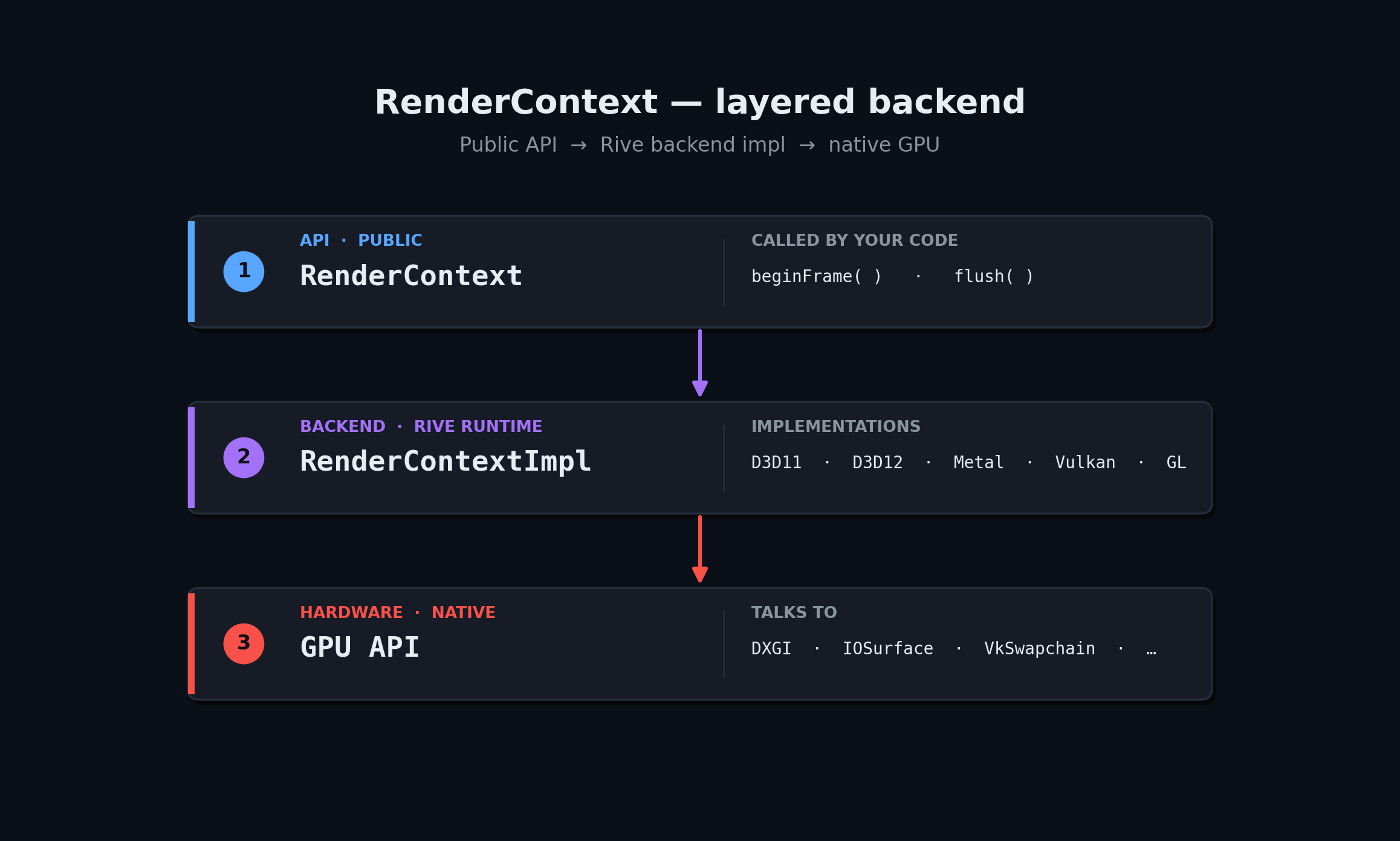
rive::gpu::RenderContext is the API-agnostic frontend to Rive’s GPU renderer. You create one of the per-backend *Impl::MakeContext factories, hand it to your render loop, and the rest of the C++ API stays identical. RenderContext layering: your code drives RenderContext via beginFrame/flush; RenderContext delegates to a per-backend RenderContextImpl (D3D11, D3D12, Metal, Vulkan, GL), which in turn talks to the underlying GPU API (DXGI, IOSurface, VkSwapchain, ...). RenderContext also implements rive::Factory, so the same object you pass to File::import is the one that owns your GPU resources.
Header: rive/renderer/d3d11/render_context_d3d_impl.hpp
#include "rive/renderer/d3d11/render_context_d3d_impl.hpp"

using namespace rive::gpu;

ComPtr<ID3D11Device>        device;
ComPtr<ID3D11DeviceContext> context;
// ... create device + context with D3D_FEATURE_LEVEL_11_1 ...

D3DContextOptions options;
options.isIntel = adapterDesc.VendorId == 0x163C ||
                  adapterDesc.VendorId == 0x8086 ||
                  adapterDesc.VendorId == 0x8087;

std::unique_ptr<RenderContext> rc =
    RenderContextD3DImpl::MakeContext(device, context, options);

auto* impl = rc->static_impl_cast<RenderContextD3DImpl>();
rcp<RenderTargetD3D> target = impl->makeRenderTarget(width, height);

// Each frame: bind the current backbuffer to the render target.
target->setTargetTexture(backbufferTexture);
Swap-chain notes:
  • Set BufferUsage = DXGI_USAGE_RENDER_TARGET_OUTPUT | DXGI_USAGE_UNORDERED_ACCESS.
  • Use DXGI_FORMAT_R8G8B8A8_UNORM (or the _SRGB variant); other formats may force the renderer onto an offscreen path.
  • Set options.isIntel = true on Intel HD Graphics — works around a driver bug in pixel-local-storage emulation.
For a working reference, see Rive’s tests/player sample app and the D3D-specific wiring in tests/common/offscreen_rendertarget_d3d.cpp.

Picking Modes per Frame

RenderContext::FrameDescriptor carries flags that change the rendering algorithm:
FieldEffect
loadActionclear (default) / preserveRenderTarget / dontCare.
clearColorARGB; only used when loadAction == clear.
msaaSampleCountNonzero forces MSAA mode and disables PLS.
disableRasterOrderingForces the atomic path even where rasterizer ordering is supported.
ditherModenone or interleavedGradientNoise (default).
Most apps leave these at defaults. Override only when you see a specific issue on a specific GPU.

Choosing a Backend

PlatformRecommendation
Windows desktopD3D11 if you only need 11-class hardware, D3D12 for newer engines.
macOS / iOSMetal.
AndroidVulkan on supported devices, GLES as fallback.
Linux desktopVulkan.
WebWebGL 2 via RenderContextGLImpl (build with Emscripten).
Game consoleTalk to Rive — separate runtimes ship for PS5, Xbox, and Switch.