

Adding View Model properties
In the Data panel, click the Add View Model Property button next to the view model name and select your property type.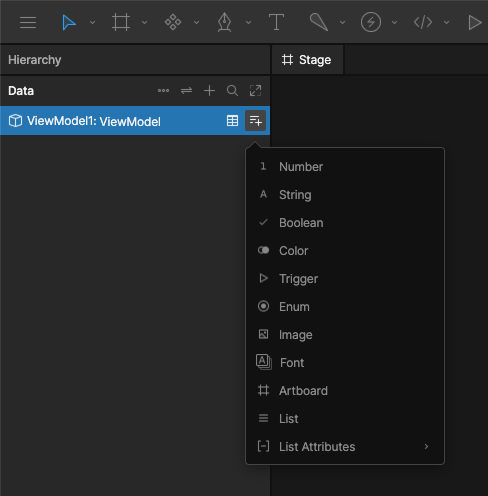
Property types
Trigger
Trigger properties represent fire-and-forget events. Use them when you want to signal that something happened, such as a button press or one-time action.Enum
Select from a fixed set of options to control states and variants. Use enums when the possible values are known ahead of time. Learn more about enums.Image
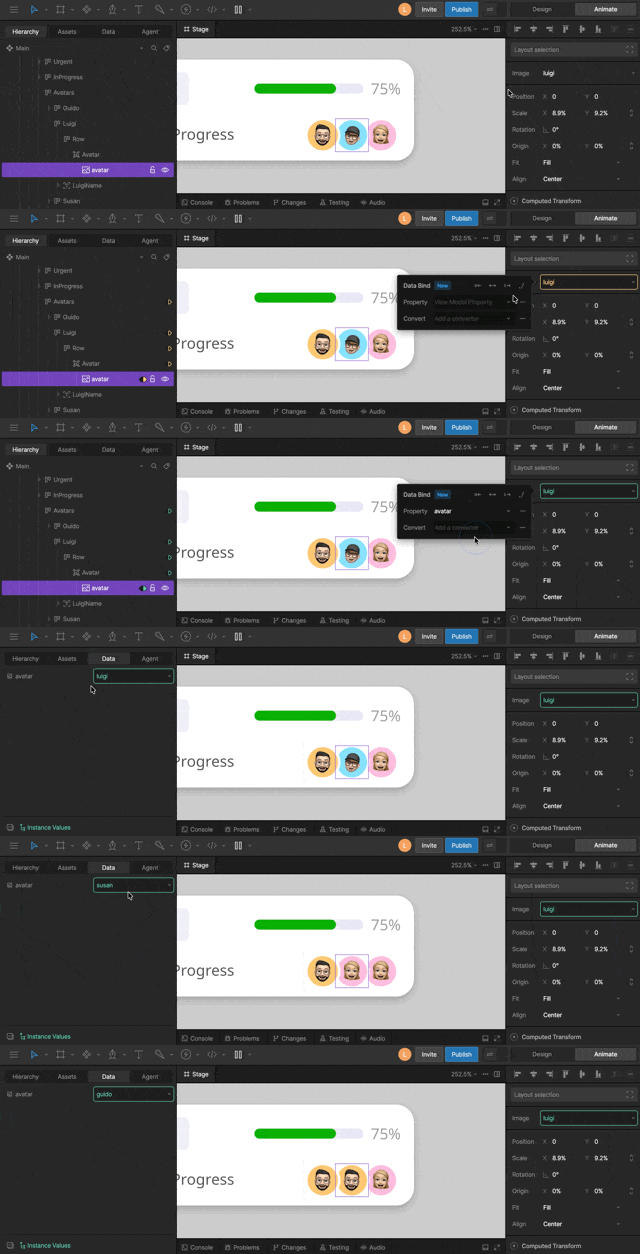
Image properties affect a single instance.If you need to update an image globally across your entire file, use asset loading instead. Asset loading replaces the underlying asset, updating all instances that use it.
Font
Font properties store a reference to a font, allowing you to change which font is displayed on a specific text style.Font properties affect a single instance.If you need to update a font globally across your entire file, use asset loading instead. Asset loading replaces the underlying asset, updating all instances that use it.
Blob
Blob properties store a reference to a blob asset, letting you bind arbitrary binary data, such as a custom file format, to a view model. To bind a blob, first import a file Rive doesn’t natively recognize and choose Import as Blob, then bind it to a Blob property. Scripts can read and write the blob’s bytes at runtime. See Blob in the Scripting API reference.Artboard
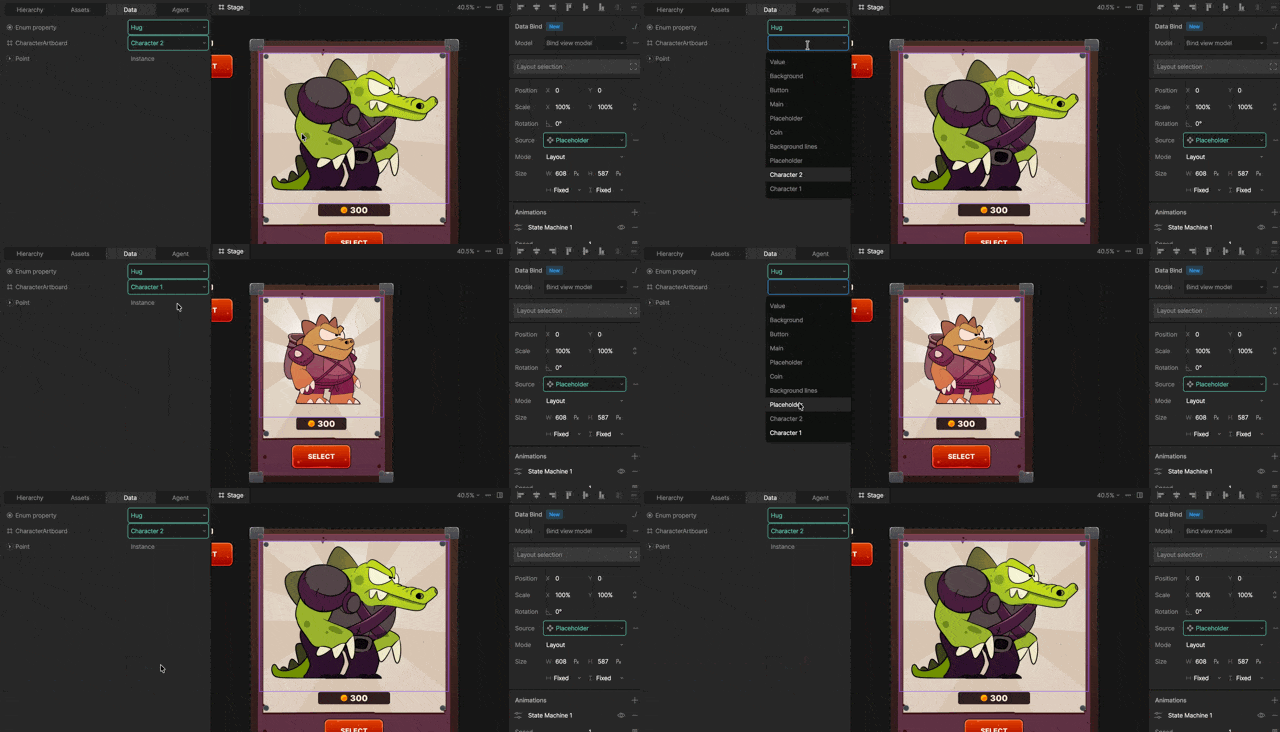
View Model
View Model properties store a reference to a View Model instance. They are used to create nested data structures by connecting one View Model instance to another. For example, aPlayer View Model could contain a Team View Model property, allowing you to access properties such as the team’s name, logo, and colors.
You can bind to and update properties on nested View Models just like top-level properties.
If you want to assign a View Model instance to a nested component, that instance must be referenced from your main View Model.